
For teams & brokerages
See the performance.
Not their book.
Push company leads out to your reps, track exactly what happened to each one, and compare activity across the team — while every contact a rep built themselves stays encrypted and private, including from you.
We set every team up personally — there is no self-serve signup for this.
Why reps resist a company CRM
It is rarely about the software. A producer’s book is the thing they take with them, and asking them to type it into a system their manager can read is asking them to hand it over. So they keep the real relationships in their phone and the CRM fills with the leads you gave them.
PulseApp splits the two cleanly, and enforces the split in the architecture rather than in a policy nobody can verify.
Lead distribution that survives contact with a real team
Load the leads
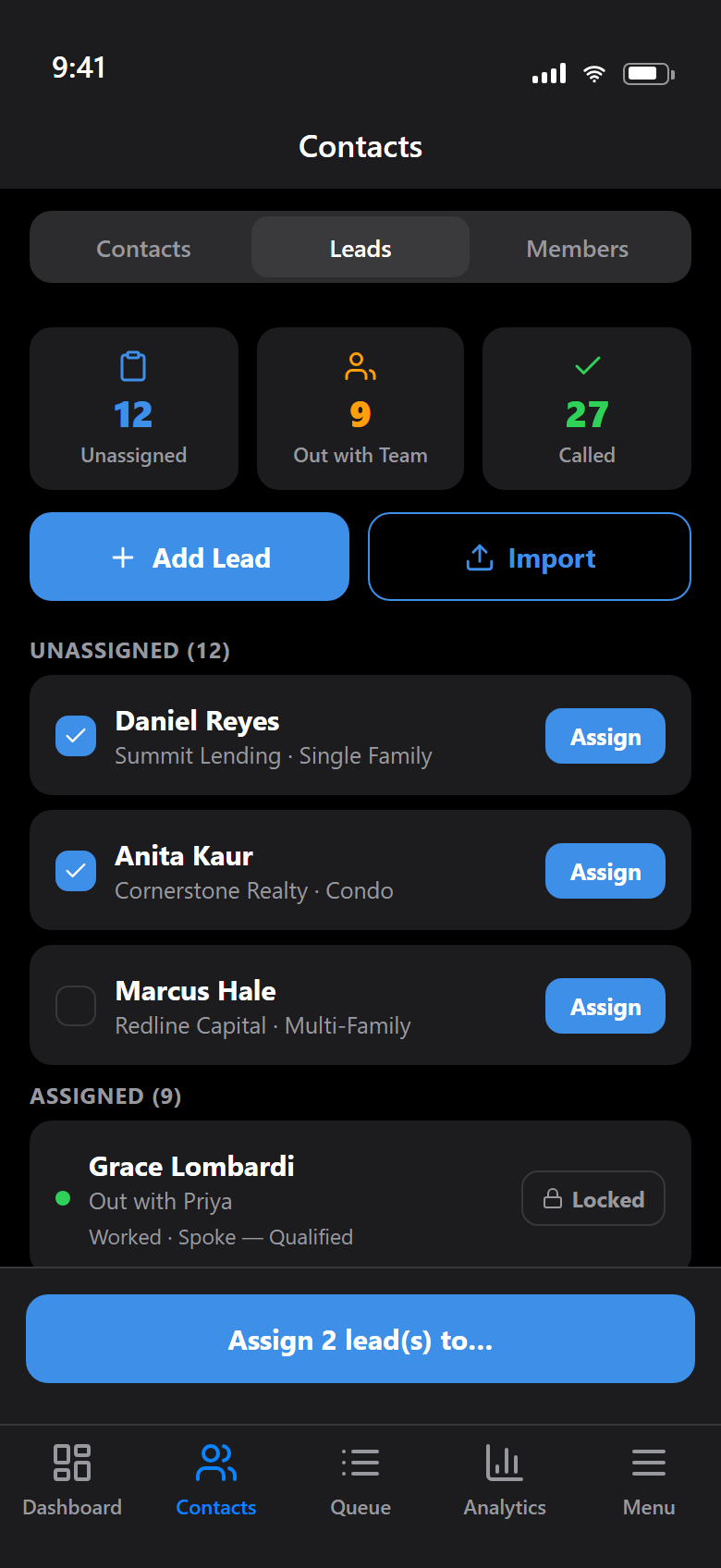
Add them one at a time or import a spreadsheet. They sit in a shared pool until someone is assigned.
Assign in bulk
Select as many as you like and push them to a rep. They appear in that rep’s app immediately, no re-typing.
Reassign what stalls
A lead nobody called can move to another rep or go back to the pool. Somebody out this week costs you nothing.
Worked leads lock
Once a rep has actually called a lead, it can’t be taken off them. The outcome stays attached to their name.
Nobody joins until they accept
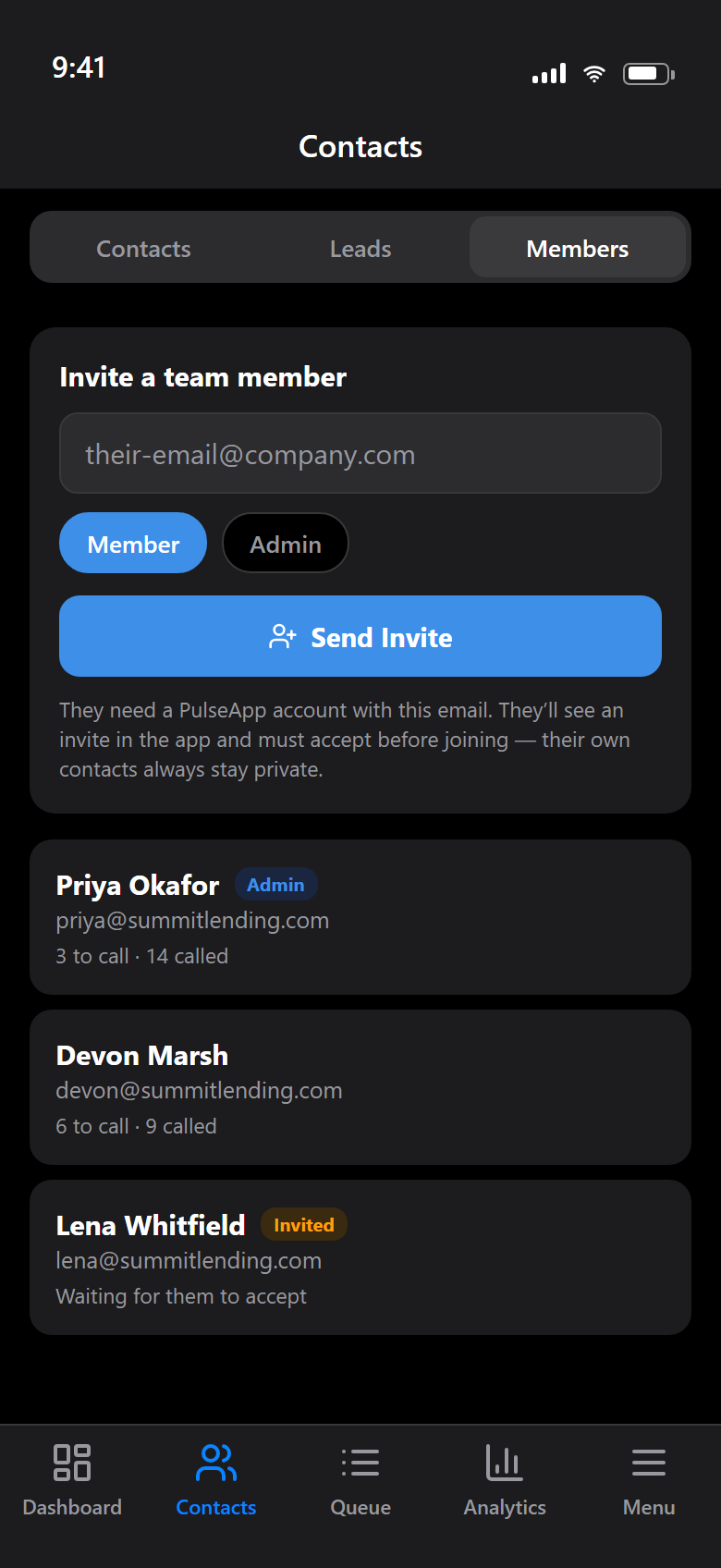
You invite by email and pick whether they join as a member or another admin. Nothing about them is visible to the team until they accept the invite inside the app — and they can leave whenever they want, which returns any leads they never called to the pool.
Once they’re in, the roster shows what each rep still has to call and how much they’ve worked through.
The wall is real
A rep’s own contacts are encrypted on their device with a key only they hold. That isn’t a permission setting an admin could flip — the data reaching our servers is ciphertext, so it is unreadable to you, to us, and to anyone who ever breached us.
Company leads are the deliberate exception. You typed them, so they’re company data and stay readable to the org. Once a rep converts one into their own contact, it’s encrypted under their key like everything else.
Read the encryption detailLeadership sees
- Company leads, and which rep each one went to
- Whether a lead was worked, and the outcome logged
- Call counts per rep — individually and combined
Stays private
- Every contact the rep added themselves
- Their notes, call history and follow-ups
- The whole book they brought with them
How we set teams up
Honestly: by hand, and on purpose. There is no self-serve team signup and no seat checkout. We create your organisation, get your leads in, and walk your reps through joining — because the teams using this are small enough that doing it properly beats automating it badly.
Pricing depends on the size of the team, so we work it out with you rather than publishing a number that would be wrong for most people. Reps get the same 60-day free trial as everyone else while you decide.
Tell us about your team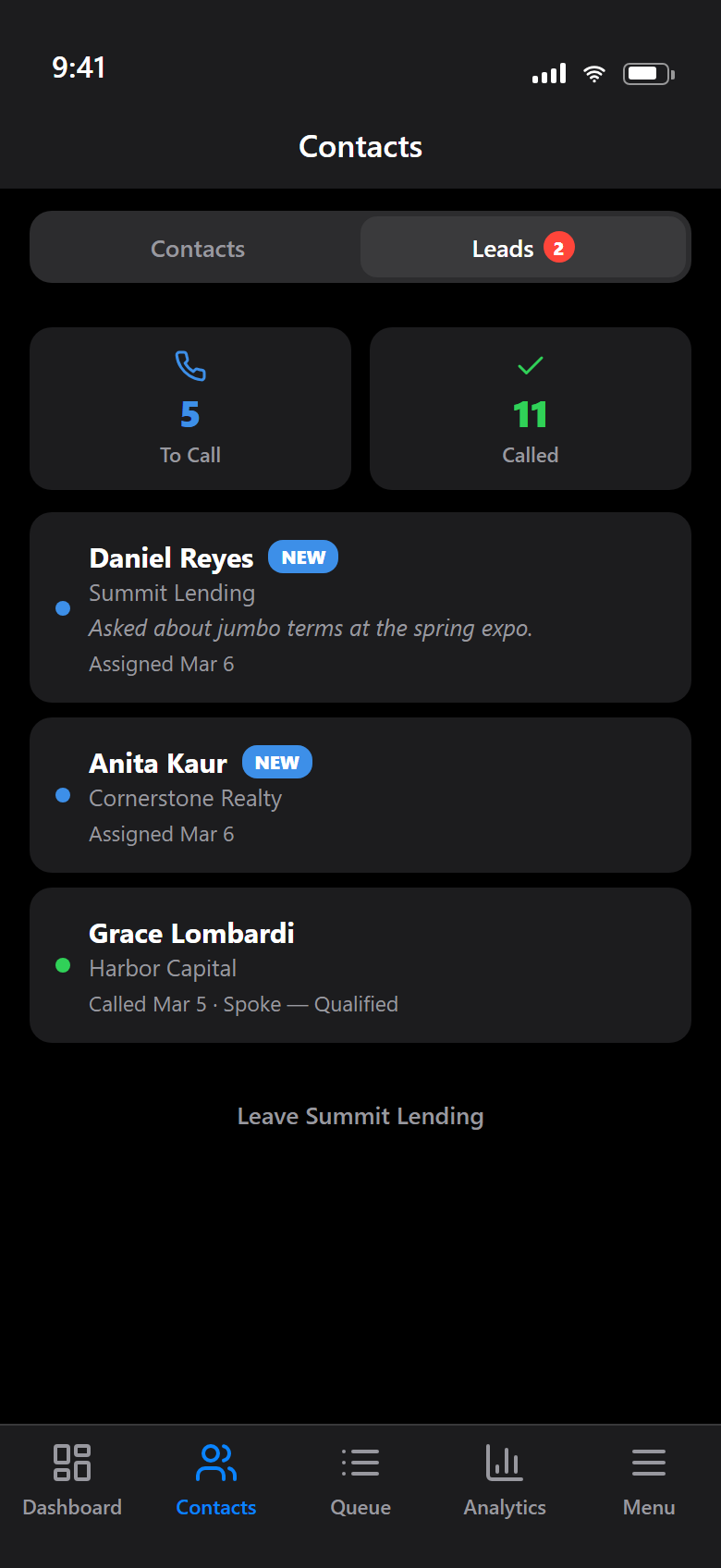
What your reps see — assigned leads land straight in their app.
Run a team? Let’s talk.
Tell us how many reps you have and how your leads arrive today. We’ll show you what it looks like set up for your book.
info@mobile-crm-app.com